






前言
飞牛NAS(fnOS)作为一款强大且灵活的家庭和企业存储解决方案,除了提供基础的文件存储功能,还支持扩展各种第三方应用,提升其多功能性和使用体验。飞牛官方的应用商店已经上架了许多好用的应用,当然我们通过安装第三方应用商店,用户可以方便地在飞牛NAS上安装更加丰富的应用程序,进一步增强NAS的使用价值。
本文将指导您如何安装飞牛NAS的第三方应用商店,通过简单的离线安装包,轻松实现飞牛NAS的功能扩展。无论您是希望安装一些流行的开源软件,还是需要特定的工具,安装第三方应用商店后,您将能够快速获取和管理这些应用。
准备条件
1.fndepot
fndepot项目的官方github
https://github.com/EWEDLCM/FnDepot
2.商店源
https://github.com/yuexps/FnDepot
https://github.com/IMGZCQ/FnDepot
https://github.com/yaya918/FnDepot
https://github.com/EWEDLCM/FnDepot
https://github.com/hbestm/FnDepot
https://github.com/Hxido-RXM/FnDepot
https://github.com/710850609/FnDepot
https://github.com/jianzhichu/FnDepot
https://github.com/RROrg/fn-apps
https://github.com/ctllo-bit/FnDepot
https://github.com/htnanako/FnDepot
https://github.com/KKKK987/FnDepot
https://github.com/mac1256/FnDepot
https://github.com/mah1618/FnDepot
https://github.com/snltty/FnDepot
https://github.com/upchr/FnDepot
https://github.com/wanjianmojun/FnDepot
https://github.com/zyp1690/FnDepot
安装教程
首先打开应用中心
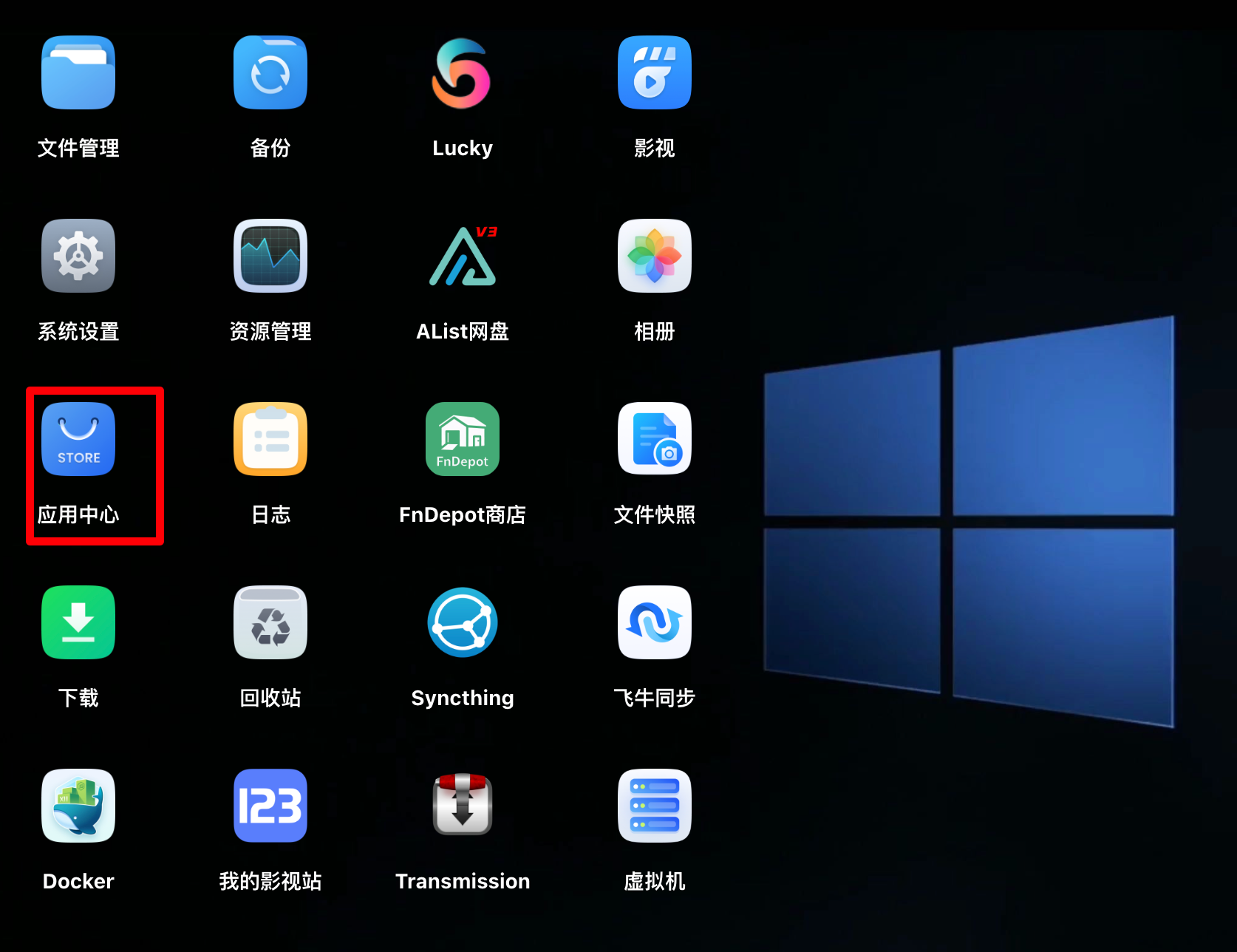
然后点击手动安装

上传下载好的fpk文件安装即可

安装完之后打开
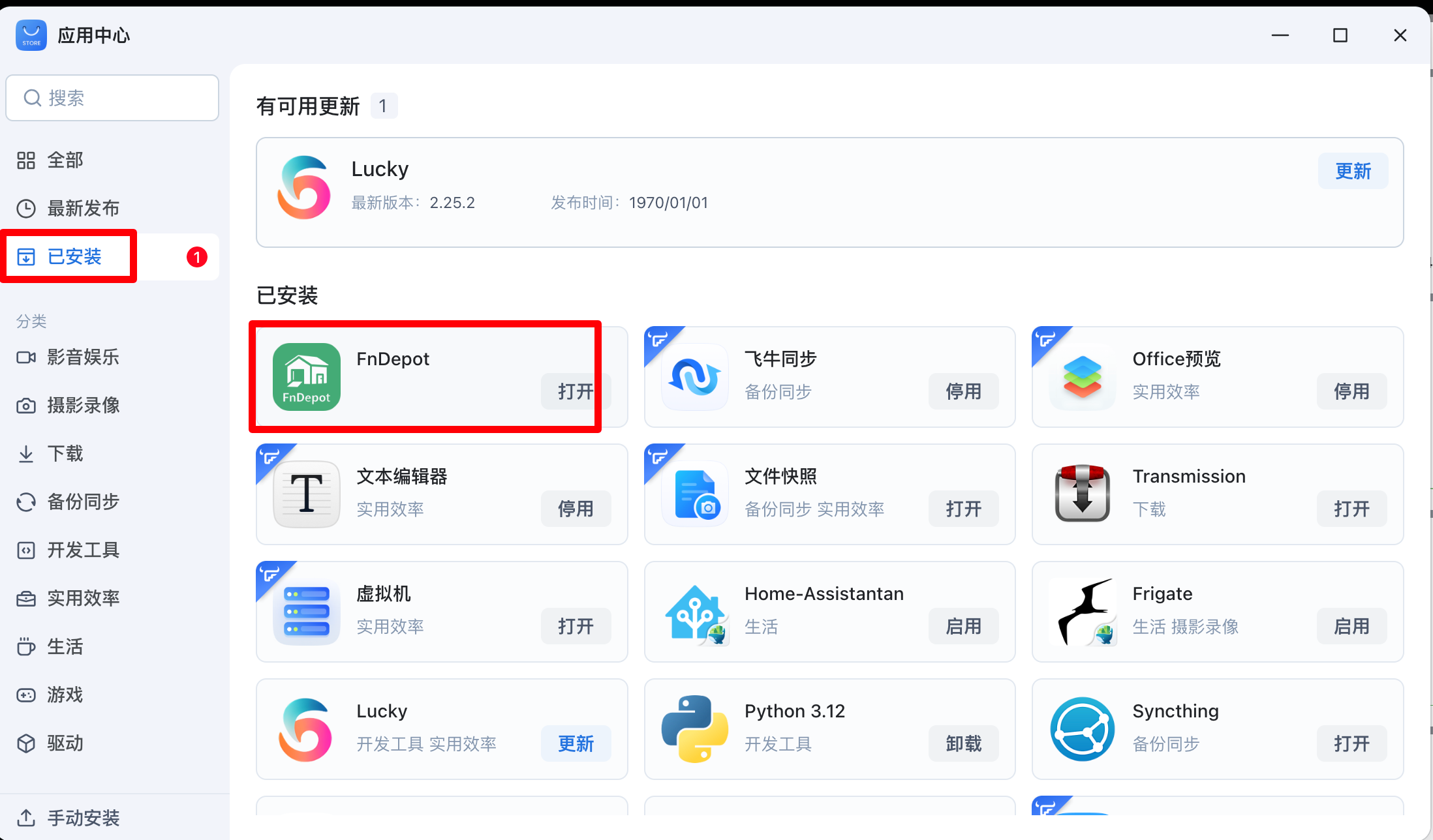
手动添加商店源即可
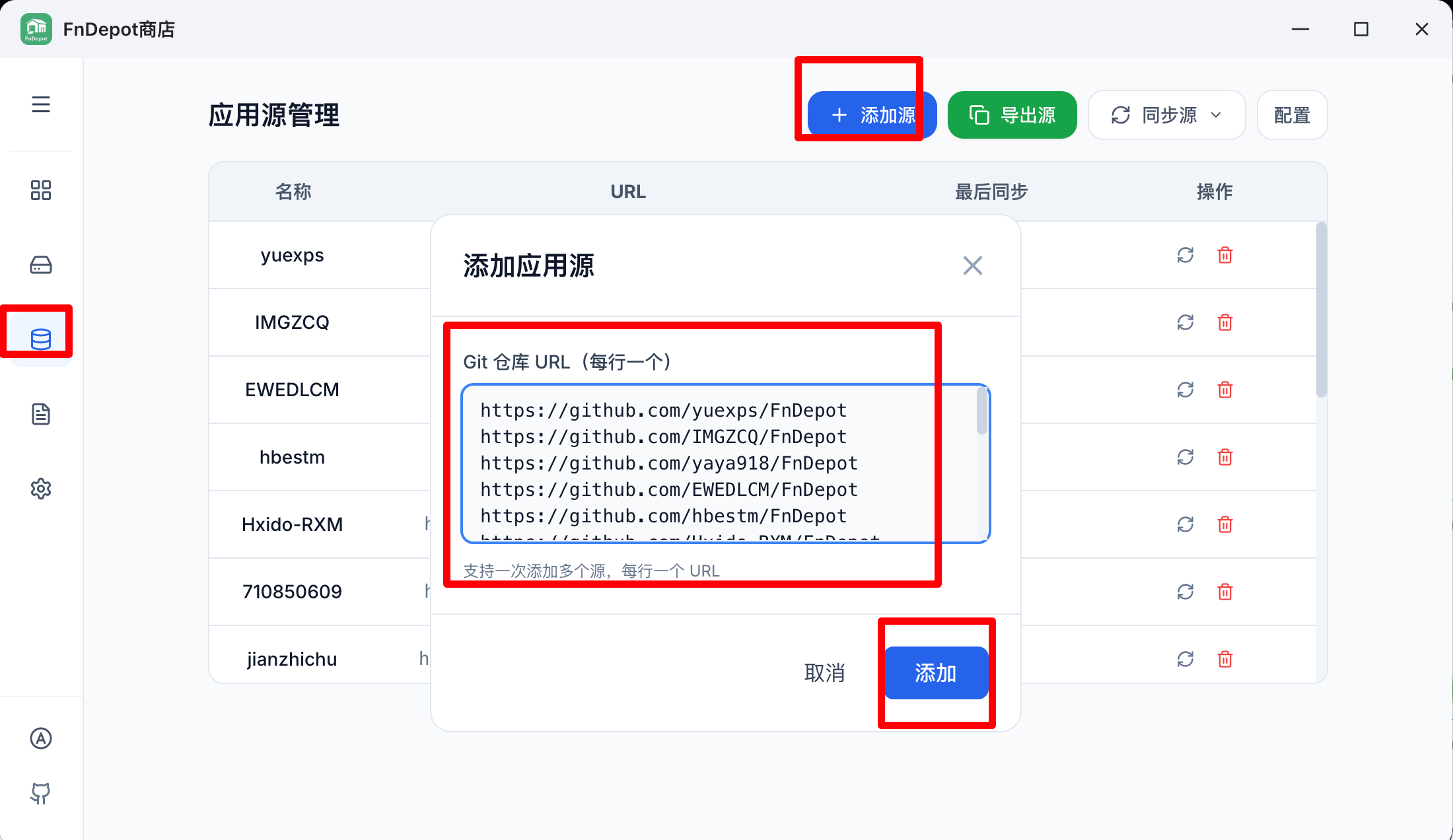
同步完即可使用

有任何问题可以直接留言或者问我
有任何问题可以直接留言或者问我
有任何问题可以直接留言或者问我
欢迎关注我们的微信公众号!




评论区